


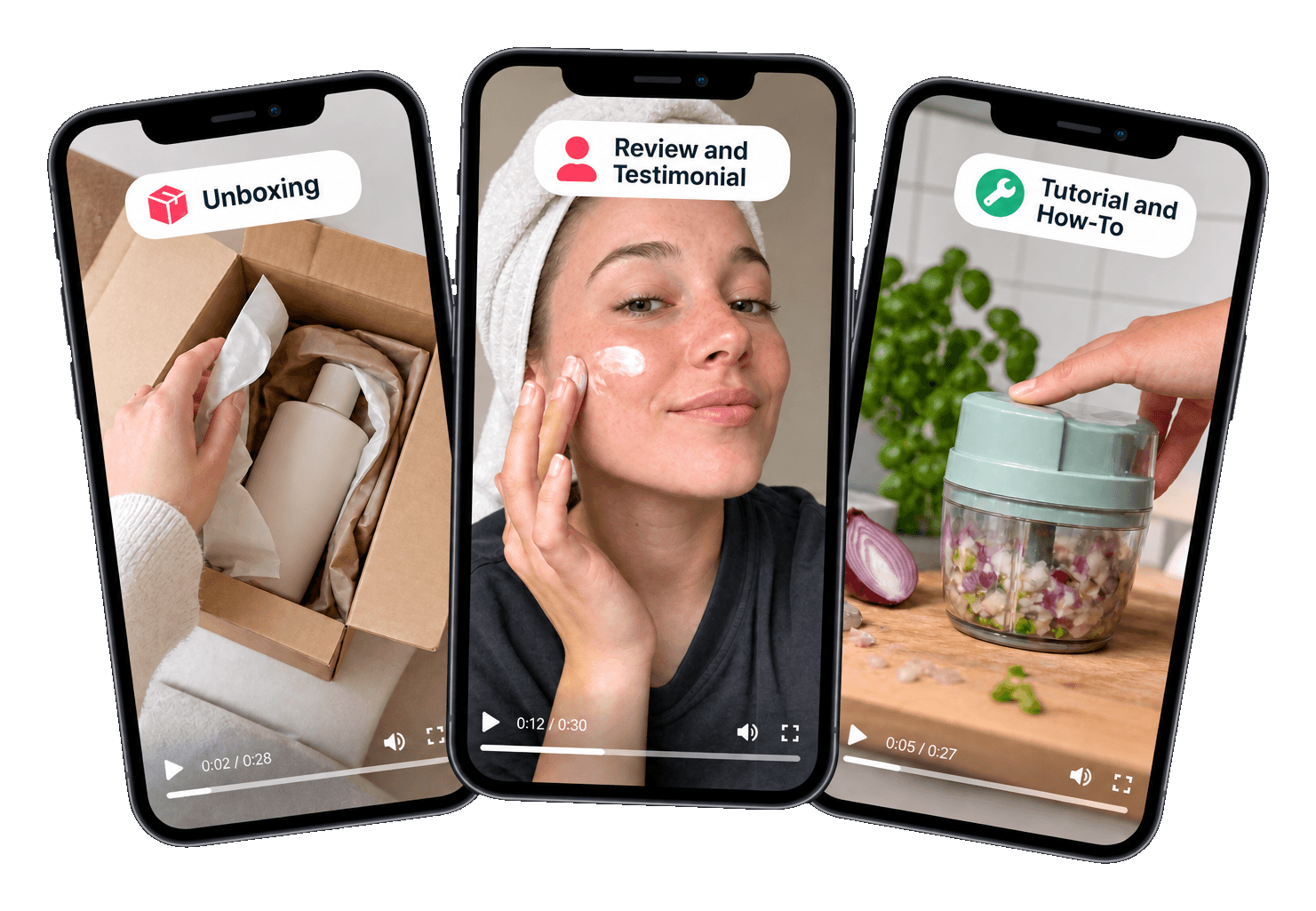
UGC video examples help you decide what you want to create. A video that looks like content from a real customer often works better in ads than a polished commercial. But UGC is not a single format: an unboxing does something very different from a tutorial or a before-and-after.
In this article, you'll find eight formats that work in ads, with an example for each and the best time to use them. This way, you can choose the format that fits your product and goal, and know what to include in your briefing.
TL;DR
- There are eight UGC formats that almost always work: unboxing, review, tutorial, problem-solution, before-and-after, day in my life, listicle, and comparison.
- Choose the format based on your goal, as an unknown brand benefits more from an unboxing or tutorial, while a known brand benefits from a review or before-and-after.
- Describe the format in your briefing on UGC.NL and specify the tone of voice and aspect ratio for each video, so the creator knows what you expect.
- Create different formats in one package to test which style works best with your audience.
What Makes UGC Videos So Powerful?
A good UGC video feels authentic. It's filmed with a phone, in a relatable setting, by someone who sounds like an ordinary user. This isn't a lack of quality, but rather the strength: viewers trust it more than an ad that looks like an ad.
Yet, there is structure. Every strong video has a hook that grabs attention, a body that shows what the product does, and a call-to-action. The format determines how you tell that story.
Below are eight UGC examples of formats that frequently appear in ads. Use them as inspiration, not as a strict recipe. Let the creator add their own twist.
Pay attention to the basics for each format. Many people watch without sound, so subtitles are almost always necessary. Ensure the product appears in the first few seconds and choose the right format: vertical for TikTok and Reels, horizontal for your website. This makes a good video a useful ad.
Unboxing and First Impressions
In an unboxing, the creator opens the product for the first time and shares their initial impressions. The format works well because the viewer experiences something new alongside the creator. The packaging, the scent, the weight: everything you can't feel through a screen is described by the creator.
Example
“It's finally here. Look how beautifully this is packaged. Okay, it feels much sturdier than I thought.” Followed by a short demonstration and an honest first opinion.
Use an unboxing for new products or brands that are still unknown. It builds trust because the viewer sees exactly what they are getting.
In your briefing, request close-ups of the packaging and the product itself. Let the creator genuinely react instead of reciting a script, as that first reaction makes an unboxing credible. For a physical product, the deadline starts only after the creator has confirmed receipt.
Review and Testimonial
A review is the most well-known UGC format. The creator shares their thoughts on the product after using it for a while. The strength lies in honesty: mentioning a small downside makes the rest more believable.
Example
“I've been using this cream for three weeks now. What I've noticed: my skin no longer feels tight in the morning. The only thing is that I had to get used to the scent at first.”
Reviews fit well in the phase where viewers are hesitating between you and an alternative. They give the final push.
Give the creator enough time to genuinely use the product. A review after one day feels less credible than a review after a few weeks. Choose a package with a longer delivery time, or send the product earlier if you know you want a review.
Tutorial and How-To
In a tutorial, the creator shows step-by-step how the product works. This is ideal for products that require explanation, such as a kitchen appliance, a hair styler, or an app.
Keep it practical. Three short steps work better than an extensive manual. Show the hands and the product, and optionally display the steps as text on the screen.
A tutorial removes barriers. The viewer no longer thinks ‘that must be complicated’, but sees that it's easy.
Briefly show the end result in the first few seconds
Then show up to three steps, with hands and product in view
Display each step as short text on the screen
Conclude with the result and a call-to-action
Problem-Solution and Before-and-After
In problem-solution, the video starts with a relatable problem and then shows how the product solves it. It's one of the strongest formats for ads because the viewer immediately relates.
Before-and-after goes a step further and shows the result: a tidy closet, a clean couch, a shiny floor. Ensure both images have the same angle and lighting, so the difference is honest and clear.
Be cautious with products that have health or skin claims. Let the creator share only real experiences and avoid making promises that you, as a brand, cannot make.
Example
“My couch was always covered in dog hair. (Show the couch.) With this roller, I'm done in two minutes. (Show the result.) I now just keep it next to the couch.” Short, relatable, and with the result in view. That's all it takes to convince the viewer.
UGC Video Examples: Day in My Life and Listicles
In a 'day in my life' video, the product is woven into a normal day. Breakfast, work, exercise: the product appears at a natural moment. This format feels the least like an ad and fits well with brands that want to showcase a lifestyle.
Listicles work the other way around: they are very direct. “Three reasons why I use this every day” or “Five things that are always in my bag.” The viewer knows what they're getting and stays until the last point.
Try combining the two. A listicle with moments from your day shows how often a product comes in handy.
For a 'day in my life', the Organic tone of voice often fits best: natural and personal, as if the creator is sharing it on their own. A listicle can be more Sales-oriented, with a clear call-to-action at the end. You choose the tone per video in the script.
Comparison
In a comparison, the creator places two situations side by side: the old and the new product, or life with and without. Do not mention other brands by name in a comparison. A 'my old pillow' works just as well and avoids issues.
Comparisons work well if your product has a clear advantage, such as being faster, quieter, or easier. Show that advantage instead of just saying it.
Example
“On the left, my old hairdryer, on the right, this one. Listen to the sound.” The viewer hears the difference immediately.
A comparison also works for services and apps. Show how something used to be and how it is now: a full paper agenda versus a clear app, or a messy workspace versus a tidy one. The difference makes the advantage concrete.
UGC Examples by Goal: Which Format to Choose?
Goal | Formats That Work Well |
|---|---|
Brand Awareness | Unboxing, Day in My Life |
Providing Explanation | Tutorial, Listicle |
Removing Doubt | Review, Comparison |
Showing Results | Problem-Solution, Before-and-After |
Not sure which format works best? Have different formats created in one package, so you can test UGC videos against each other. With three videos, you can test an unboxing, a tutorial, and a review against each other.
Also, consider the platform. A 'day in my life' fits well with TikTok and Reels. A tutorial also works in a horizontal format on your website or YouTube.
Running a campaign with multiple phases? Use different formats in succession. Start with an unboxing or 'day in my life' for new viewers and then show people who have already watched a review or before-and-after. This way, you tell a complete story.
How to Request the Right Format on UGC.NL
On Find creators, you can view a creator's portfolio. This way, you immediately see which formats someone excels at. If you're looking for a tutorial, choose someone who explains calmly and clearly. If you want energy, choose someone with a lively style. Unsure if a creator masters a specific format? Ask the question in the chat before ordering. A creator can then explain how they would approach the format for your product.
After your order, describe the format in your briefing. For each video, choose the tone of voice, sales-oriented or organic, and the aspect ratio, 9:16 or 16:9. If you write the script yourself, fill in the hook, body, and call-to-action for each video.
After delivery, you have 72 hours to accept, request a revision, or reject. Upon approval, you gain the rights to the content and can download the videos without a watermark.
Want to edit new variants yourself? Choose a package with raw content: the unedited recordings. This allows you to create short versions, different openings, or a combination of formats later, without placing a new order.
Find Your Format
Browse portfolios on Find creators and choose the creator who best delivers your format. Find creators
Frequently asked questions
On Find creators at UGC.NL, you can view a highlight video, portfolio videos, and photos for each creator. This way, you can see which formats someone creates and whether the style matches your brand. You can filter by niche, language, age, rank, and price to quickly find the right creator.
Problem-solution and before-and-after are often strong because they directly show what the product does. However, the best format depends on your product and audience. Therefore, have a creator on UGC.NL create different formats and test them against each other in your campaigns.
Yes. Order a package with multiple videos and describe in the briefing which format you want for each video. For each video, you also choose the tone of voice and aspect ratio. This way, you can test an unboxing, a tutorial, and a review with one order.
After approving the order, UGC.NL transfers the rights to the content to you. How long and on which channels you use the videos is agreed upon in advance in the chat with the creator. This way, you know for sure that you can use the videos on your website, socials, and in ads.
Describe the format in your briefing: what should appear on screen, the mood, the setting, and your do's and don'ts. A link to an example video also helps. If you write the script yourself, fill in the hook, body, and call-to-action for each video. Ask questions in the chat.