



Edit UGC videos professionally
The complete guide for creators
Video dominates social media. From TikTok and Instagram Reels to YouTube Shorts and paid ads. Video is the way to attract attention and achieve conversion.
But good content stands or falls with a sharp edit. This guide teaches you step by step how to edit your UGC videos professionally from basics to advanced techniques.
What is video editing and why is it important for UGC creators
Video editing is the process of transforming raw footage into a structured and appealing video that tells a story. For UGC creators, this means grabbing attention faster, retaining viewers longer, achieving higher watch time, and better performance in UGC ads.
A good edit ensures your video feels like native social content and not like generic advertising.
Basic principles of image, audio, and timing
A strong video consists of three pillars: image, audio, and timing.
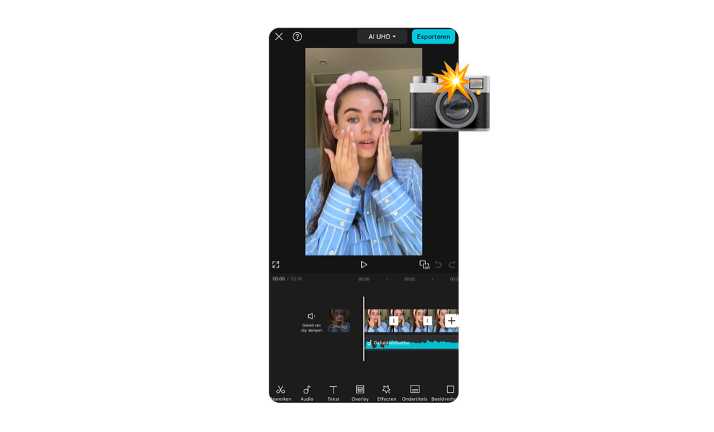
The timeline is where clips, audio, text, and effects come together. By cutting and trimming, you remove unwanted parts and set the pace. Use transitions and effects subtly for a smooth viewing experience. Text and titles reinforce your message, hooks, and call to actions.
Preparation and planning of your videos
A good edit begins before you open your software.
Work with a storyboard or script so that the order of scenes, shots, and call to actions is clear. Structure your files by organizing video, audio, effects, and voice overs logically. Pay attention to music and sound effects, as audio determines the experience. Use royalty-free music or trending sounds.
Choosing video editing software: CapCut and alternatives
There is no best software; it all depends on your workflow and level.
Free options are CapCut and DaVinci Resolve. Paid options are Adobe Premiere Pro and Final Cut Pro. CapCut is ideal for many UGC creators thanks to the intuitive interface, quick cutting and trimming, trending effects, automatic subtitles, and direct sharing to social platforms.
Basic and advanced editing techniques
The basics of video editing consist of importing, cutting, and trimming clips, and adding text, titles, and subtle effects.
Advanced techniques give your videos a professional look. Color correction and color grading ensure natural colors and a consistent atmosphere. Audio editing makes your voice clear and minimizes background noise. With keyframes, you add movement to text and images. Chroma key makes it possible to replace green screen backgrounds for creative content.
Exporting and optimizing for social media
Correct exporting is crucial for the quality and performance of your video.
Use a resolution of 1080p and export in MP4 with a bitrate that balances quality and file size. Optimize your videos per platform by working in a 9 by 16 format for short form content. Ensure that text and call to actions fall within safe zones. Test multiple versions and use strong thumbnails to improve performance.
Met deze waardevolle tips en technieken maak je in no-time boeiende en professionele UGC-video’s. Veel succes met editen! 🎥✨